
Four Ways to Fill and Increment (or Decrement) Cells in Modern CSV
February 9, 2026Several years ago, on a beautiful Sunday afternoon, a customer asked me to add a feature to preview replacement phrases in the Find/Replace panel. I loved the idea so much, my first course of action was to kick myself for not having thought of it myself. Then, I went to work implementing it and released it that night. It is this little button on the right in the Find/Replace panel:
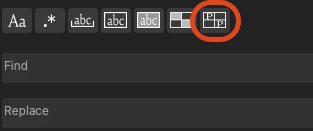
When you click it, every cell that matches the Find field will be highlighted and replaced with the contents of the Replace field. The replacements will be in some other color like green to indicate this is a temporary thing. This is especially useful for replacing with Regular Expressions (the .* button). Regex often feels like summoning magic forces through ancient incantations with which you must exercise great care lest you inadvertently call forth the terrifying dark forces of destruction that will forever suffocate the land in a haze of death and misery. Granted, you can ctrl+z any mistakes (or cmd+z for Mac users), but it’s better to receive instant feedback with every keystroke so you know what you’re getting before you commit.
If you have any ideas for features you’d like to see, let me know on the Request a Feature page!