


Formulas
| Quantity | Price Per License (USD) |
|---|---|
| 1–19 | $19 |
| 20–39 | $14 |
| 40+ | $9 |

Extend Modern CSV with advanced capabilities to make it as powerful as you need it to be.
Perform calculations on your data with Python.
The Formulas plugin comes packaged with a custom text editor, a straightforward API, built-in example formulas, a Formulas Manager, and Markdown files with all the information an LLM needs to help you write formulas.
You can save formulas for later use and assign them shortcuts so you can easily run them whenever you need. You can undo any formula by simply typing ctrl+z on Windows/Linux or cmd+z on Mac. It also smoothly integrates with VS Code so you can lay down breakpoints and debug it.
Requirements: Modern CSV version 3, a Premium license, and the Python dependency (free).
You can download the plugin and the Python dependency directly in Modern CSV. You can also download them here:
Make your own commands in Python and record macros.
The Scripts plugin comes with a custom text editor, a comprehensive API, built-in example scripts, a Scripts editor, and Markdown files with all the information an LLM needs to help you write scripts.
Modern CSV treats your scripts like any native command: they'll appear in the Command Launcher and you can give them their own keyboard shortcuts. In a script, you can make your own Launcher queries, call any native command, reference or change any setting, and write data to any table you want.
You can also record macros where the program will write a script for you based on your actions. Like most commands, your command will be undoable by simply typing ctrl+z on Windows/Linux or cmd+z on Mac. It also smoothly integrates with VS Code so you can lay down breakpoints and debug it.
Requirements: Modern CSV version 3, a Premium license, and the Python dependency (free).
You can download the plugin and the Python dependency directly in Modern CSV. You can also download them here:
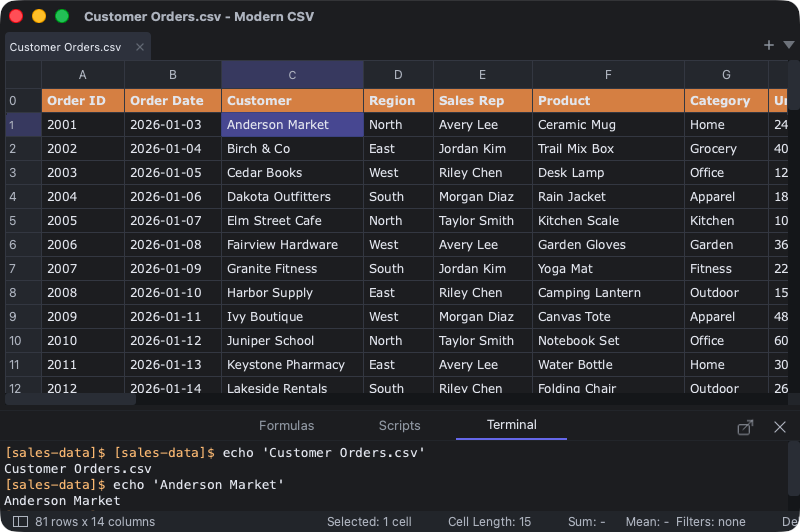
Connect your CSV workflow to external programs.
The Terminal Commands plugin provides an intuitive syntax for calling external processes and sending them whatever data you need.
You can save your terminal command calls and assign them a name and a shortcut so you can easily call them whenever you need. It comes with a terminal emulator so you can see the output of the process or call it manually.
Requirements: Modern CSV version 3, a Premium license.
You can download the plugin directly in Modern CSV. You can also download it here:
The Essential Plugins Bundle includes all three plugins currently available plus any essential plugins to be developed in the future. Plugins currently under development are:
The Essential Plugins Bundle contains plugins that are broadly useful. Specialized plugins developed for specific fields, industries, niches, or customers are not included.
Buy — $49A Modern CSV version 3 Premium License key is required to use plugins. If you have a Premium Subscription license, the Essential Plugins Bundle is included. If you have a Premium Perpetual license, you need to buy plugins separately.
The prices are below.
| Plugin | Price (USD) | Buy |
|---|---|---|
| Formulas | $19 | Buy Now |
| Scripts | $29 | Buy Now |
| Terminal Commands | $9 | Buy Now |
| Essential Plugins Bundle | $49 | Buy Now |
If you buy in bulk, you can get a discount.
| Quantity | Price Per License (USD) |
|---|---|
| 1–19 | $19 |
| 20–39 | $14 |
| 40+ | $9 |
| Quantity | Price Per License (USD) |
|---|---|
| 1–19 | $29 |
| 20–39 | $24 |
| 40+ | $19 |
| Quantity | Price Per License (USD) |
|---|---|
| 1–39 | $9 |
| 40+ | $4 |
| Quantity | Price Per License (USD) |
|---|---|
| 1–9 | $49 |
| 10–19 | $44 |
| 20–29 | $39 |
| 30–39 | $34 |
| 40+ | $29 |
Plugins are listed under “Entitlements” in the license key. When you buy plugins, you will receive a new Modern CSV license key with the new plugins listed. Replace your old license key with the new one.
An easy way to do this is to open the License Manager window in Modern CSV and click the “Download Updated License” button. It will use your current license key to look up the latest license key and automatically download it. You can also copy and paste the new one in there.
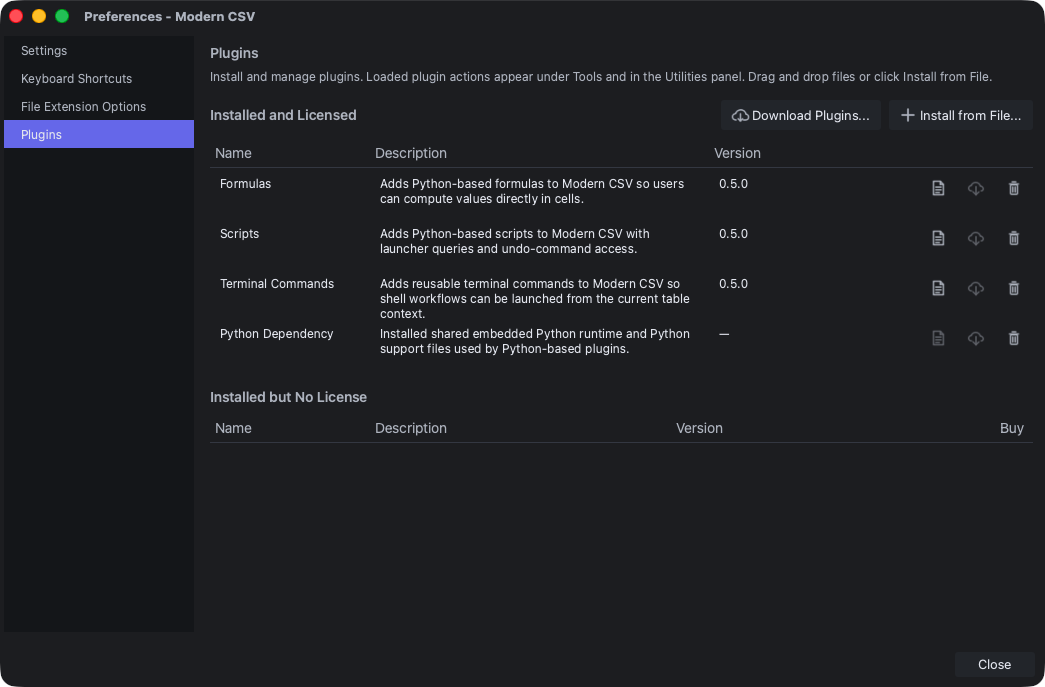
Once the license is installed, call the Manage Plugins command to open the Plugin Manager. You can download and install plugins by clicking the “Download Plugins” button, selecting the plugins, and clicking the “Download and Install” button.
Alternatively, you can download the plugin files and drag and drop them into the Plugin Manager or click the Install from File... button.
If you have any trouble with either the license or installing the plugins, please contact us here.